Image-Search 3
This exercise, which is close to everyday life, specifically trains large saccadic eye movements.
For this exercise you must be logged in (Instruction) and you must be on the home page.
Note: For this exercise, you may need to scroll down slightly with the mouse
1. Open the exercise by clicking on the corresponding box

2. Select level and category
Level: Changes the difficulty of the exercise: image size, number of images
Category: Modifies the wallpaper and the object to search: flowers, balls, cars, fish, airplanes, leaves, farm, birds, tools, bugs, coins

3. Change the settings under ‘Further options’

4. Change the settings
Here you can define where the letter is to move (jump position) and where it is to jump (end position).
At the end, click ‘Save changes’

5. Click on ‘Start’

6. Click on ‘Continue training’

7. Follow the letters with your eyes
After 10 rounds you automatically proceed to the next category. Change the number of passes in the Settings
Attention: Move your eyes only, not your head
Note: If you want to end the exercise prematurely, press the ESC key

8. Recognise how the letter is rotated
As soon as the rotating letter reaches the jump position, it jumps to the end position
Try to make that last leap with your eyes
Look exactly how the letter is rotated in the end position, in this example downwards

9. Answer the following question
If the question is answered correctly, a ‘normal’ sound will be heard
If the question is answered incorrectly, the sound is ‘dull’
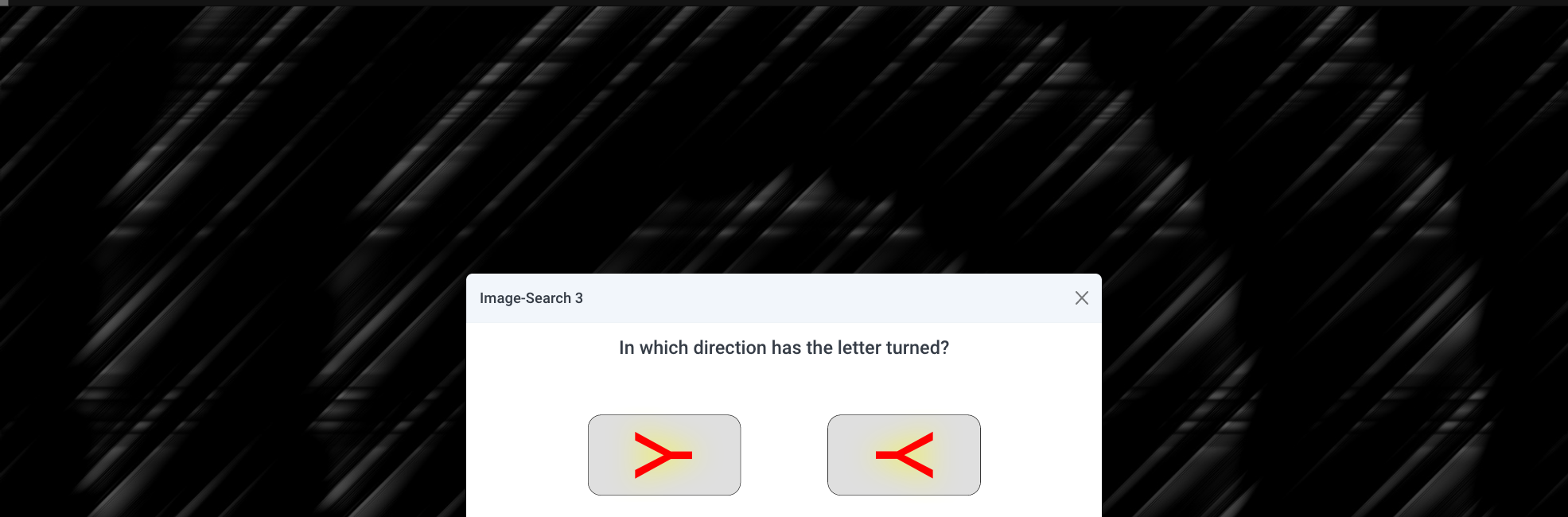
10. Click ‘Save and quit’ or ‘Start’
If you want to finish the exercise, click ‘Save and quit’, otherwise click ‘Start’.

11. Click on ‘Continue training’
After the exercise, a statistic appears in which you can analyze the exercise you have just performed. For more detailed evaluations, click on ‘Statistics’.
